
Every metre, measured.
Instrumentation and MWD/LWD systems that measure and log drilling data, from the rig floor to the bit.
Depth Tracker
A standalone, plug-and-play system built to run 24/7 in harsh drilling environments. It reads the drawworks encoder and hookload sensor, then displays, trends and logs your drilling data in real time, and keeps the history.
Nothing else is needed to run it. The Remote Unit on the rig sends data over its own wireless network, or a cable, to a laptop, tablet or touchscreen PC on the rig floor, in the doghouse or in the rig office, and you can add more stations.
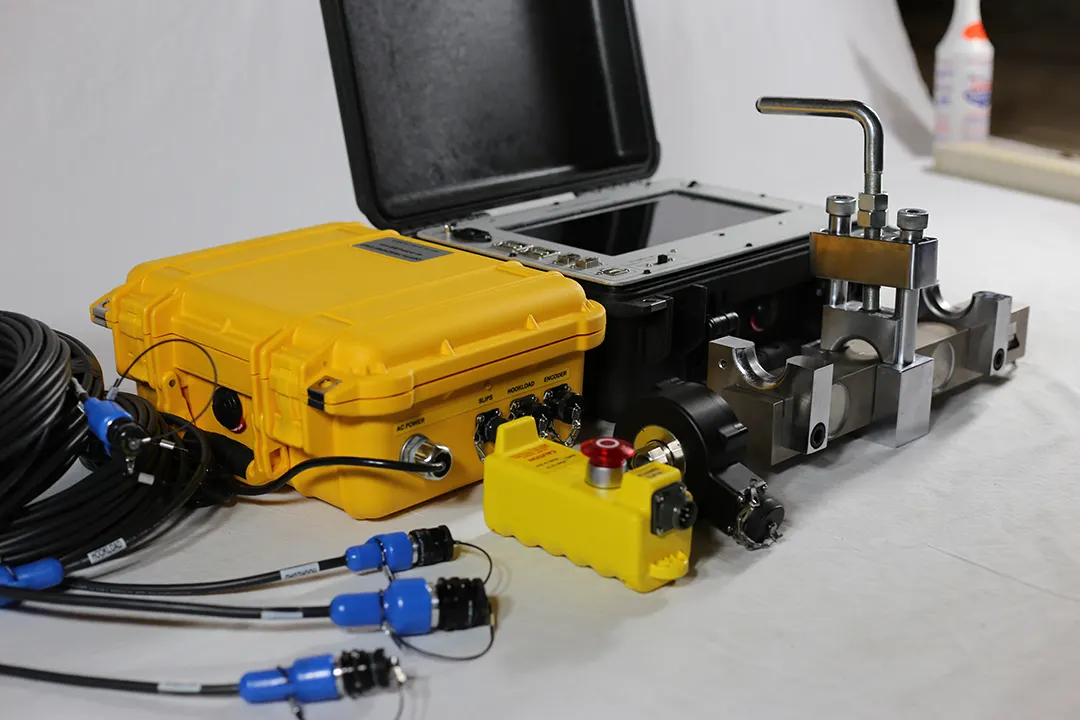
What it measures
- Depth
- Block height
- Bit depth
- Hole depth
- Speed
- Rate of penetration (ROP)
- Tripping in and out velocity
- Weight
- Hookload
- Weight on bit (WOB)
- Slips
- Slips in and out, with automatic or manual detection
- Optional
- Rotary table RPM
- Mud pump SPM and flow rate
- Spare configurable 4–20 mA inputs
The software
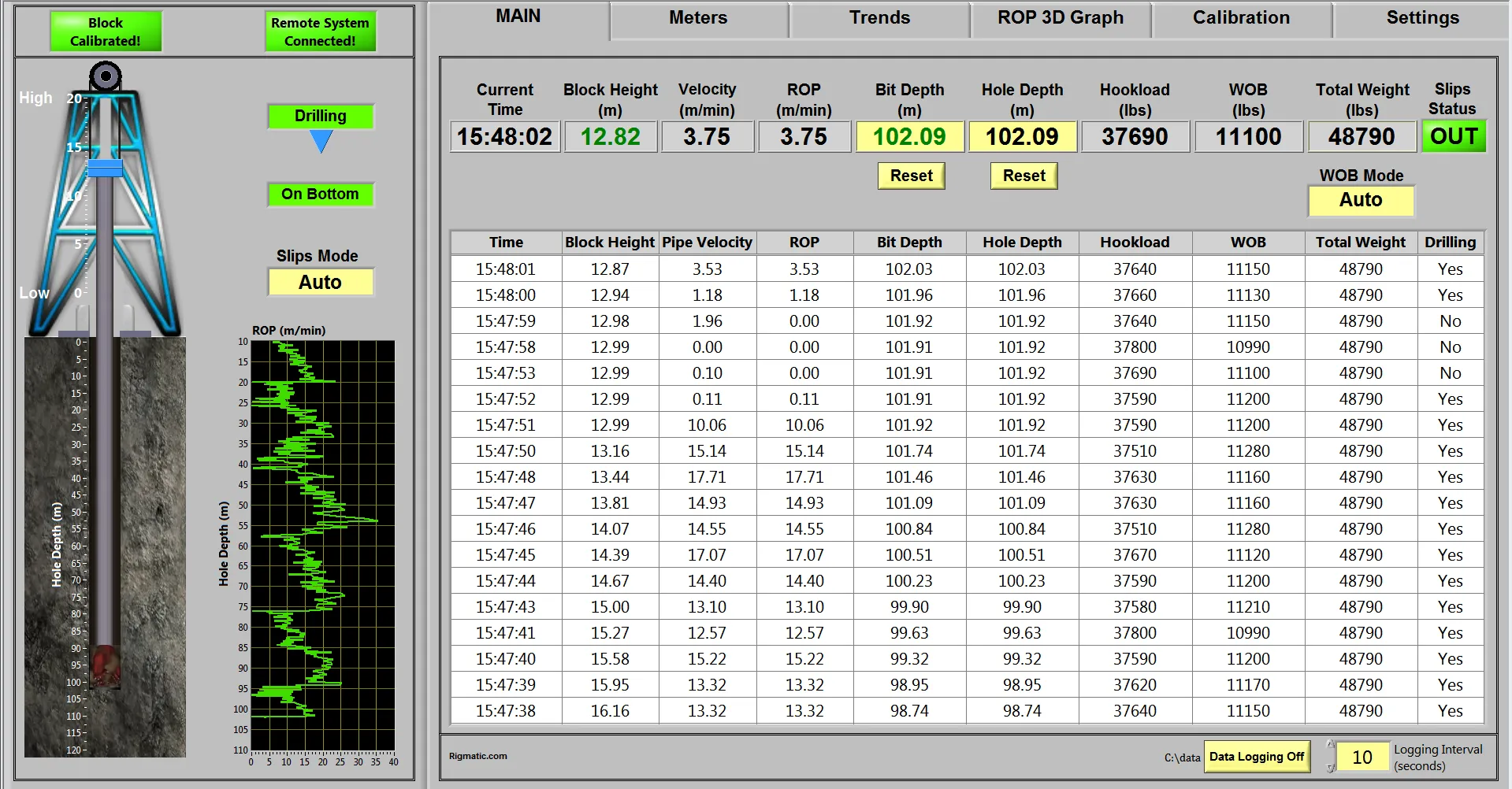
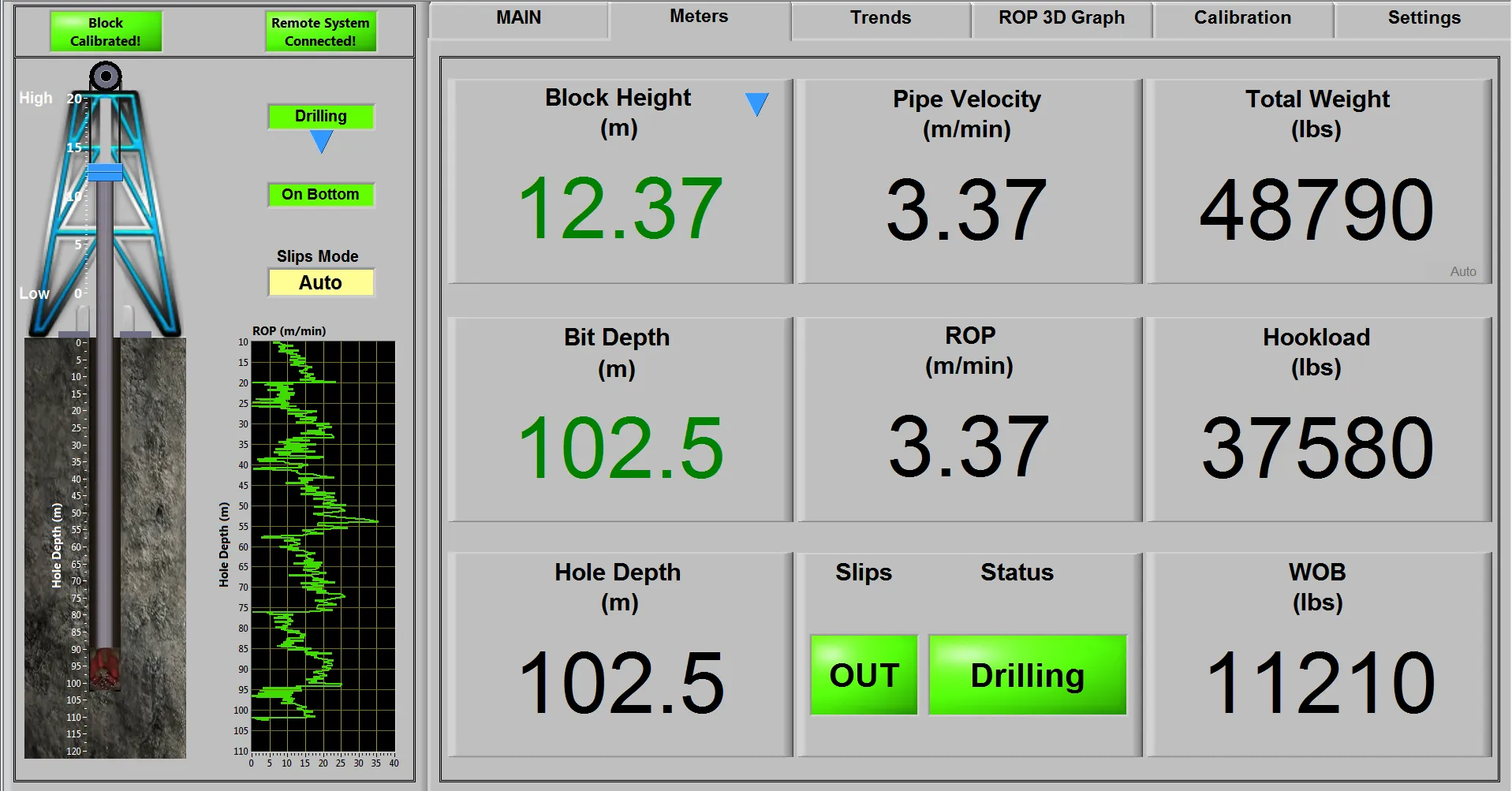
These are real screens from the Depth Tracker software. It was built, and keeps being improved, with feedback from drilling engineers and operators.
- Data logging
- Real-time trends
- 3D ROP graph
- Straightforward block calibration, with one-touch re-calibration
- Sensor disconnect alarm
- Animated block travel and a rotating bit while drilling
- WITS output over RS232 and TCP
The hardware
The Remote Unit reads its sensors through intrinsically safe barriers and keeps its calibration if the rig loses power.
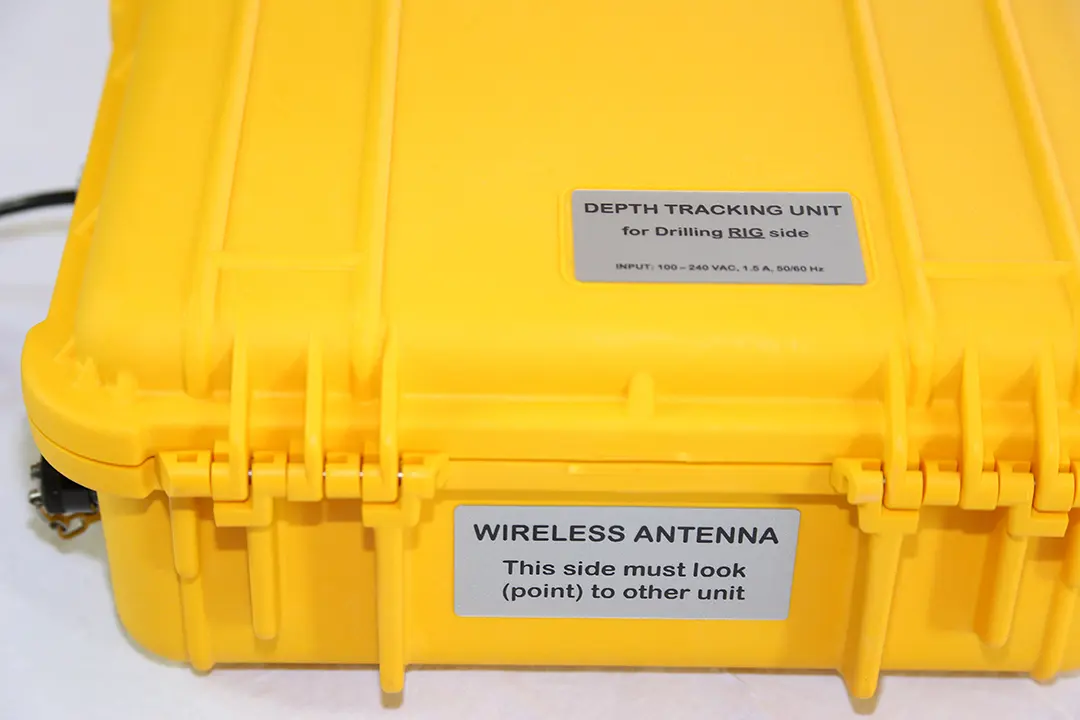
Remote Unit. Rugged IP67 case for the rig side. 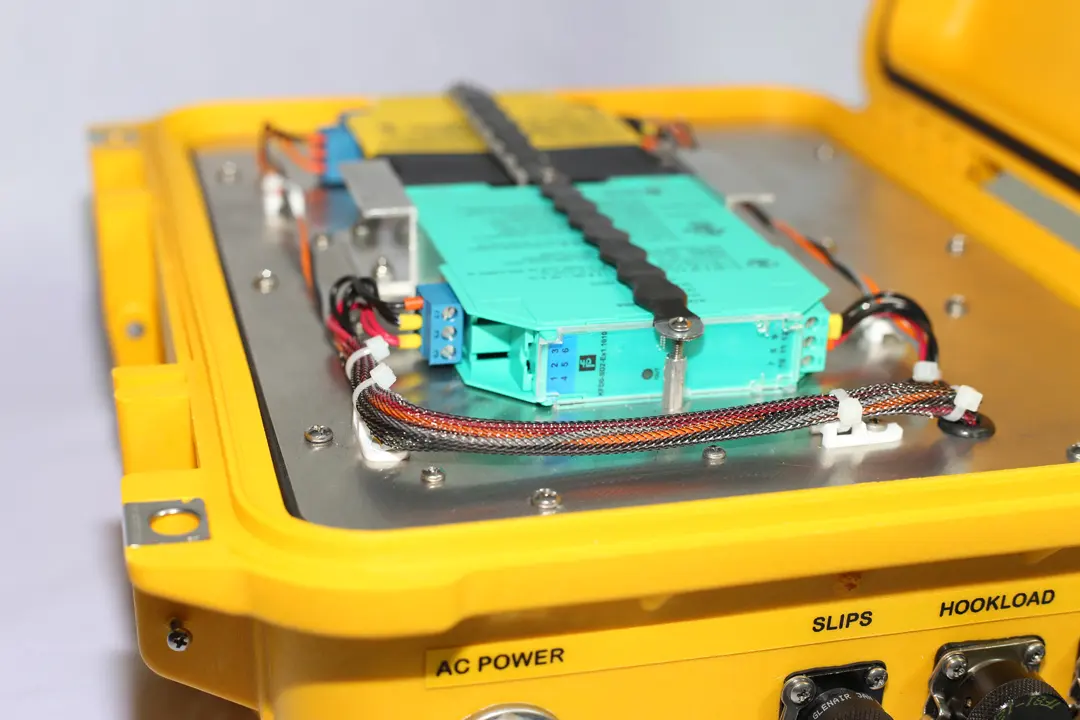
Inside the Remote Unit. Sensor signals pass through intrinsically safe barriers. 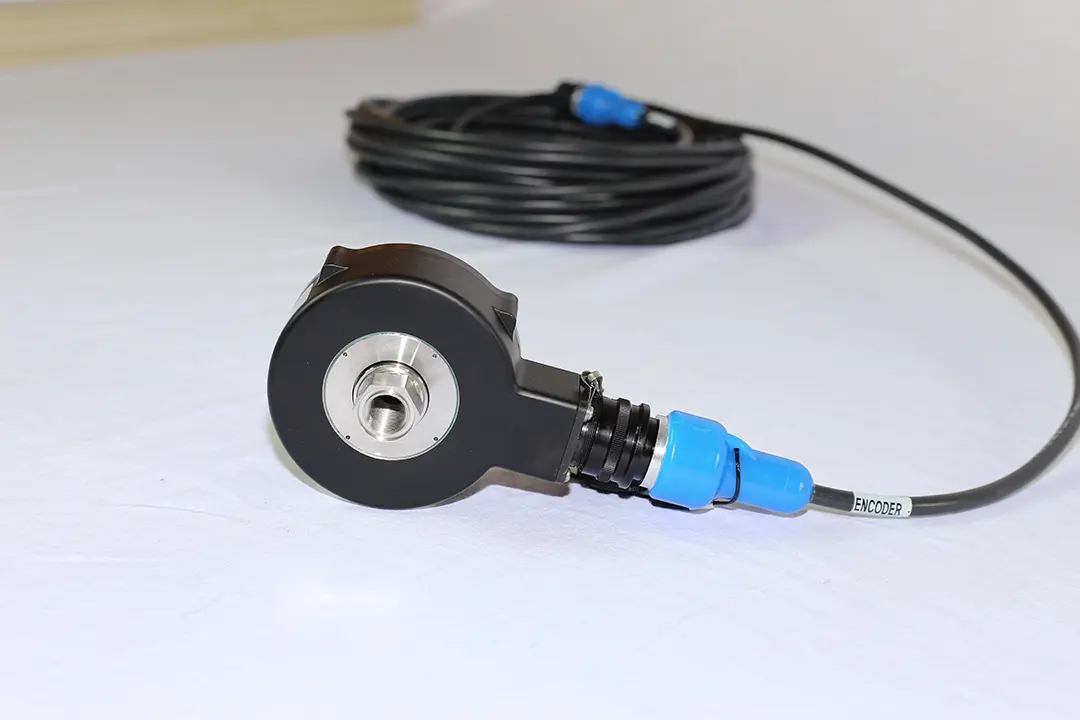
Drawworks encoder. 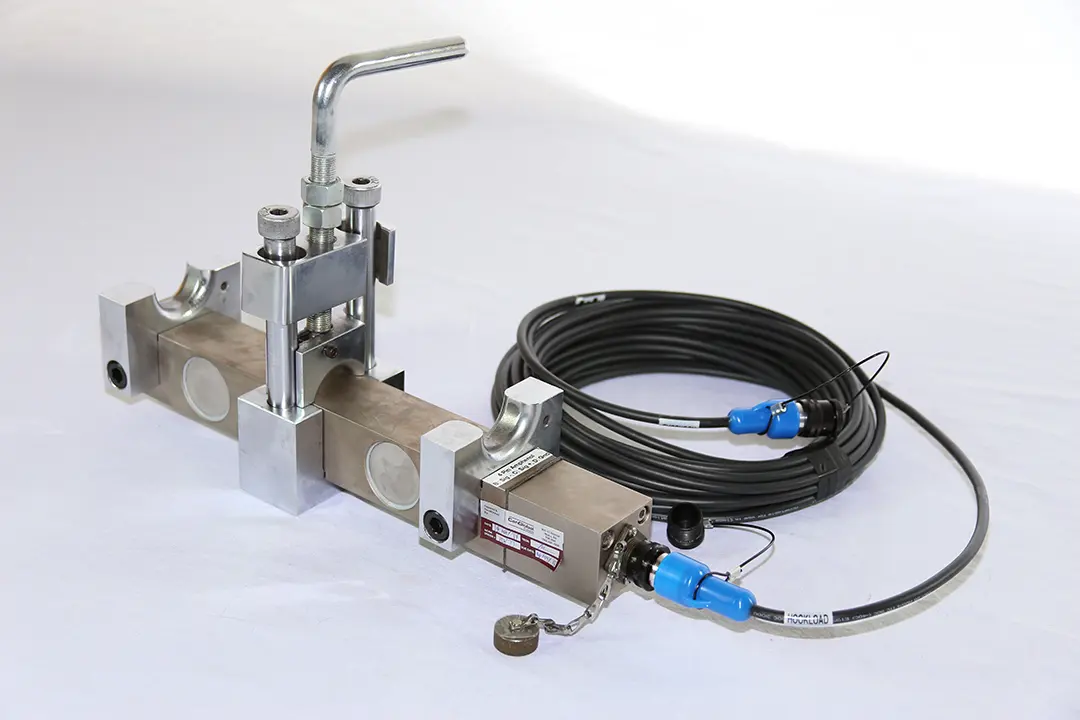
Hookload sensor.
Specifications
| Remote Unit, drilling rig side | |
|---|---|
| Controller | Xilinx FPGA with a 667 MHz dual-core real-time embedded controller |
| Sensor inputs | Through intrinsically safe barriers |
| Link to host | Long-range wireless on a dedicated network, or wired |
| Duty | Runs 24 hours a day, 7 days a week. Keeps its calibration if the rig loses power. |
| Enclosure | Ruggedized, IP67 |
| Operating temperature | −40 °C to 70 °C |
| Power | 100–240 V, 50/60 Hz |
| Host Unit, doghouse or rig office side | |
| Option 1 | Laptop or tablet with the GUI pre-installed, for monitoring, trending, logging, block calibration and WITS output. Calibrate the block on the rig floor, up to 10 ft from the rotary table. |
| Option 2 | Built-in touchscreen PC with full functionality and two onboard RS232 serial ports for WITS |
| More stations | Add PCs as needed. Each connects to the Remote Unit, wirelessly or by cable. |
| Sensors and output | |
| Sensors | Drawworks encoder, hookload sensor |
| Optional sensors | Rotary table RPM sensor, mud pump stroke sensors, and pressure, level, flow and temperature sensors |
| Data output | WITS over RS232 to third-party PCs, and WITS over TCP to the MWD/LWD PC, the RFD and third-party PCs |
How the Depth Tracker works
The Remote Unit sits on the rig floor, as close as 10 feet from the rotary table, and reads the sensors. It sends the data over long-range wireless or a cable to one or more host stations on the rig floor, in the doghouse or in the rig office, which display, trend and log it.
Host Unit
Operator stations, for the rig floor, doghouse or rig office
Laptop, tablet or touchscreen PC. Add as many as you need.
Remote Unit
Data acquisition, for the drilling rig side
Reads the hookload sensor and drawworks encoder.
Sensors setup
Optional sensors and cables
- Rotary table RPM sensor
- Mud pump stroke sensor
- Pressure, level, flow and temperature sensors
WITS goes out over RS232 to third-party PCs, and over TCP to the MWD/LWD PC, the RFD and third-party PCs.
Rigmatic Telemetry
New release
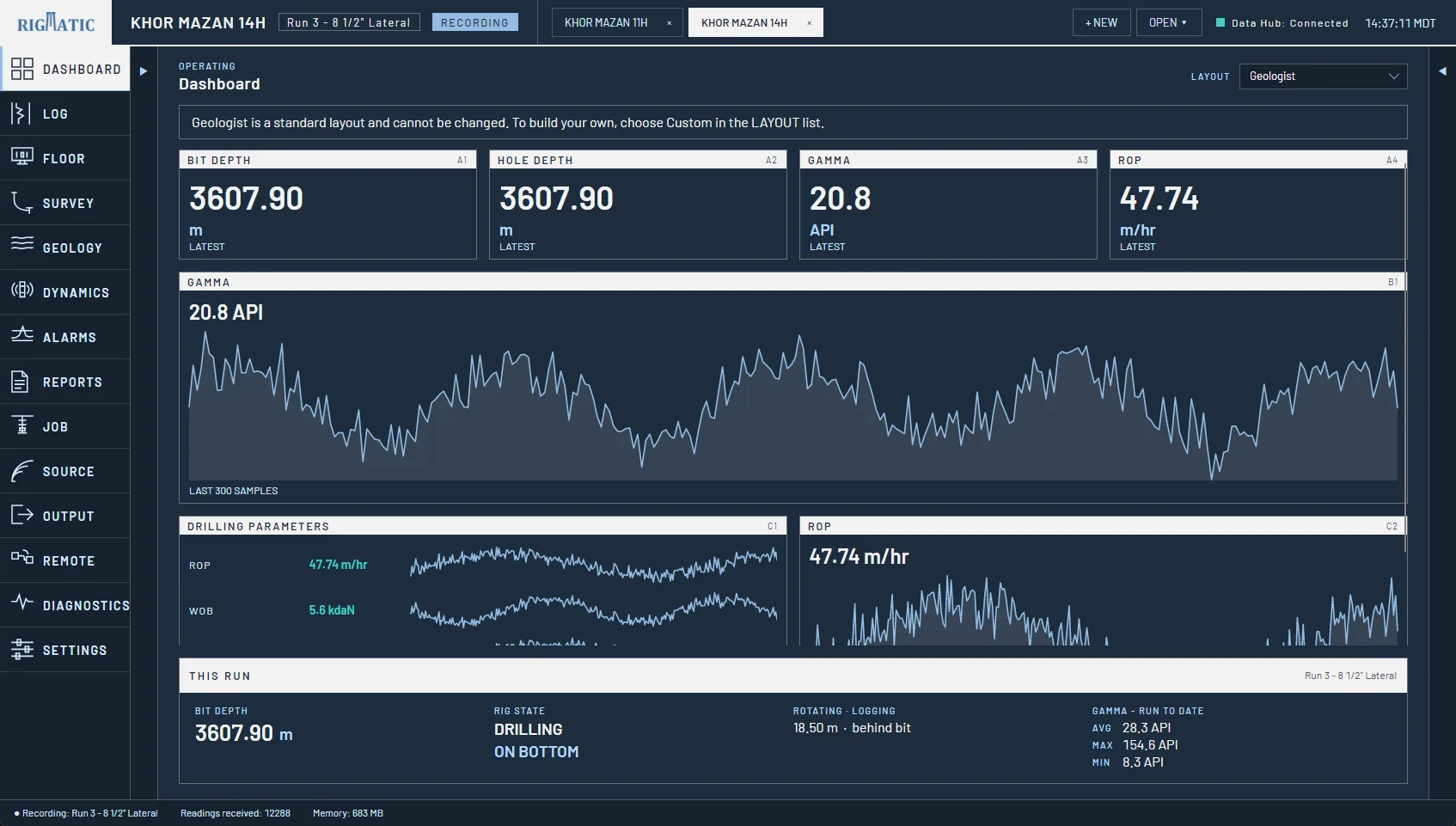
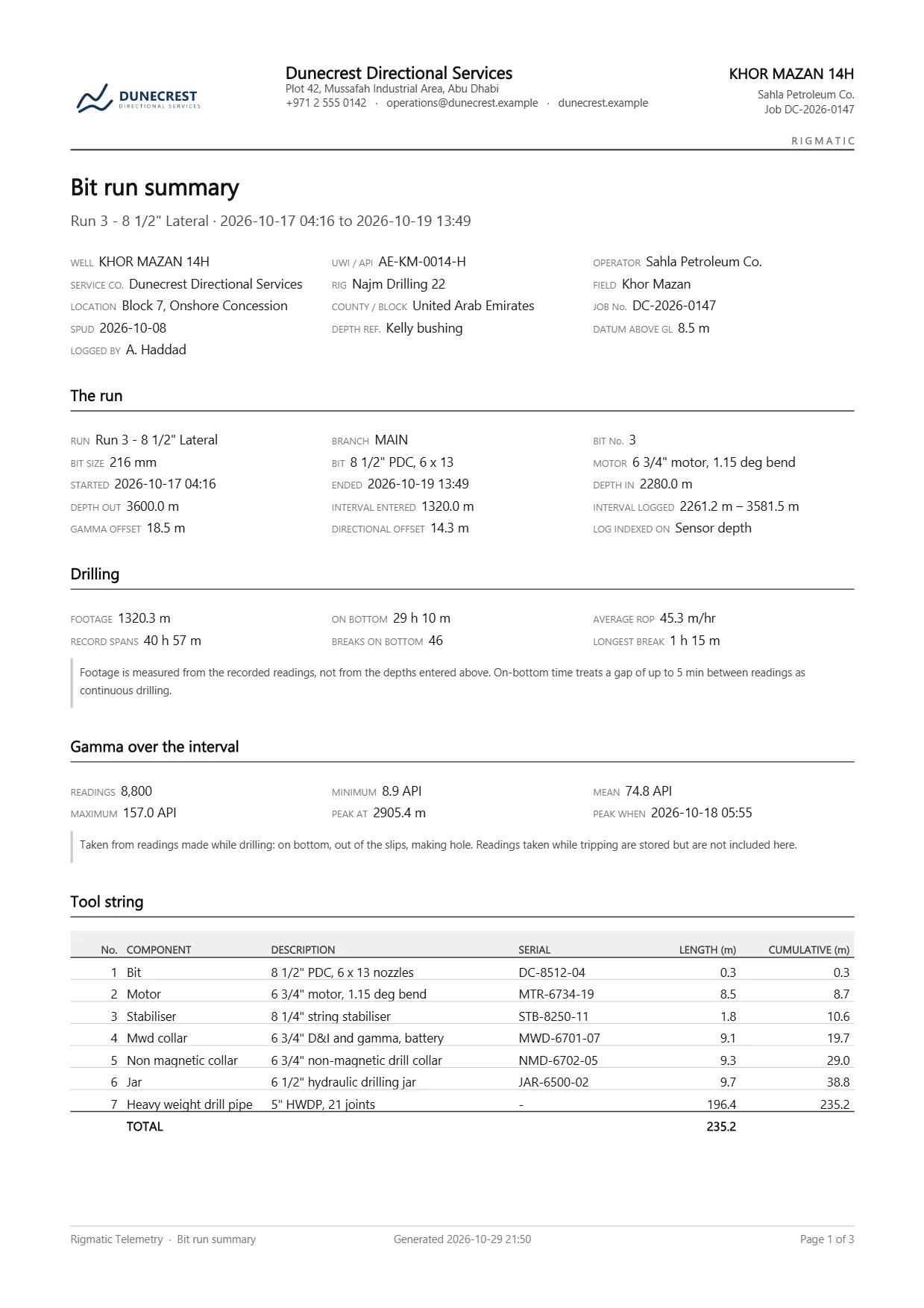
MWD/LWD software for the rig and the office: gamma, surveys, drilling dynamics and alarms. It takes in data from the downhole tool’s decoder and the rig’s EDR, puts every reading at the right depth and shows it live. Then it produces the log, the reports and the LAS files the client is paying for.
It is one Windows program. There is no server to set up: the data pipeline runs inside the window you are looking at.
Takes it in
From the MWD decoder, the rig’s EDR, a WITSML store or a captured file, over serial, TCP or UDP, as WITS0, JSON or CSV.
Puts it at depth
Readings arrive with a time; the log needs a depth. Sensor offsets come from the tool string you build, not a number you type.
Shows it
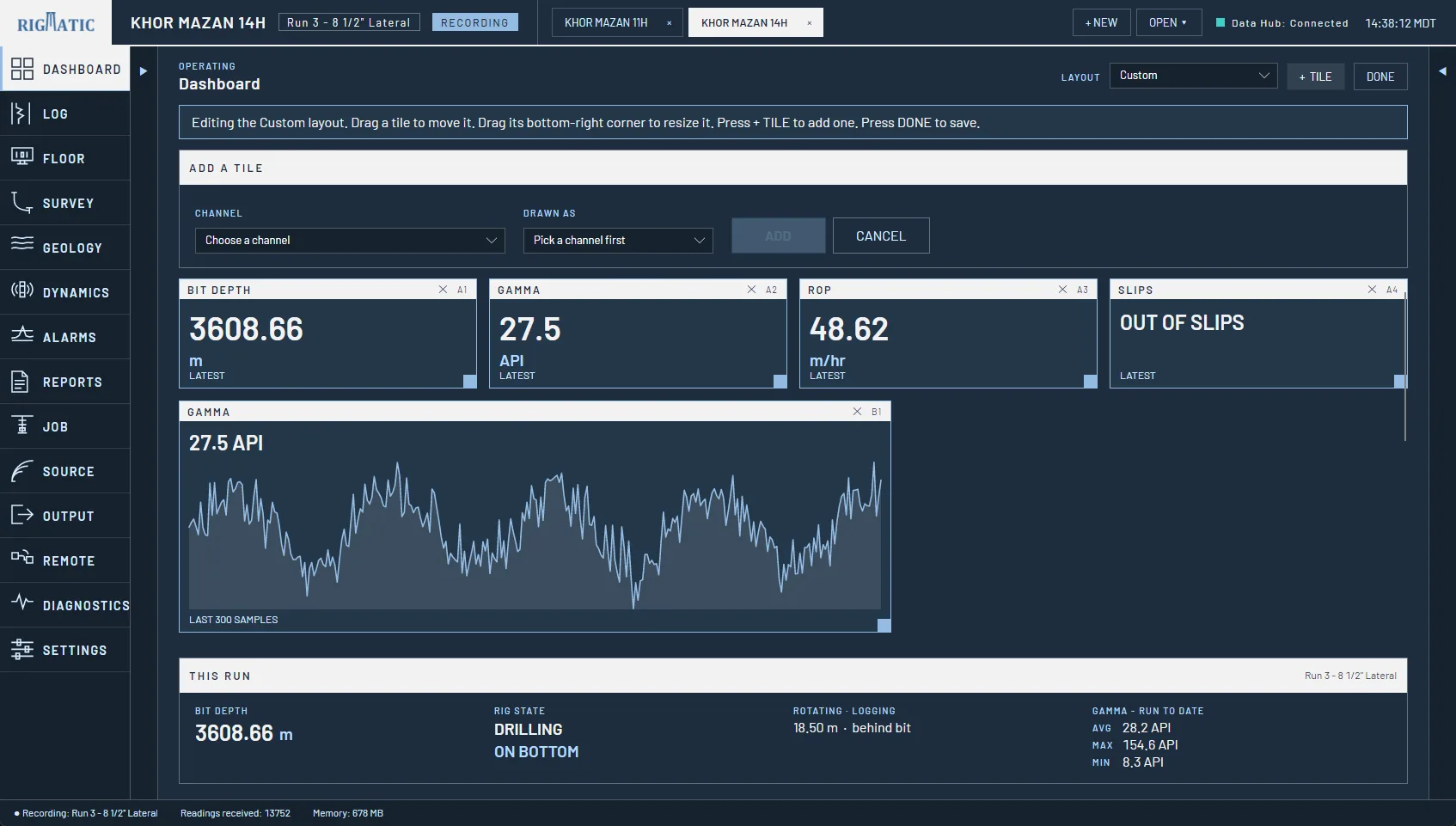
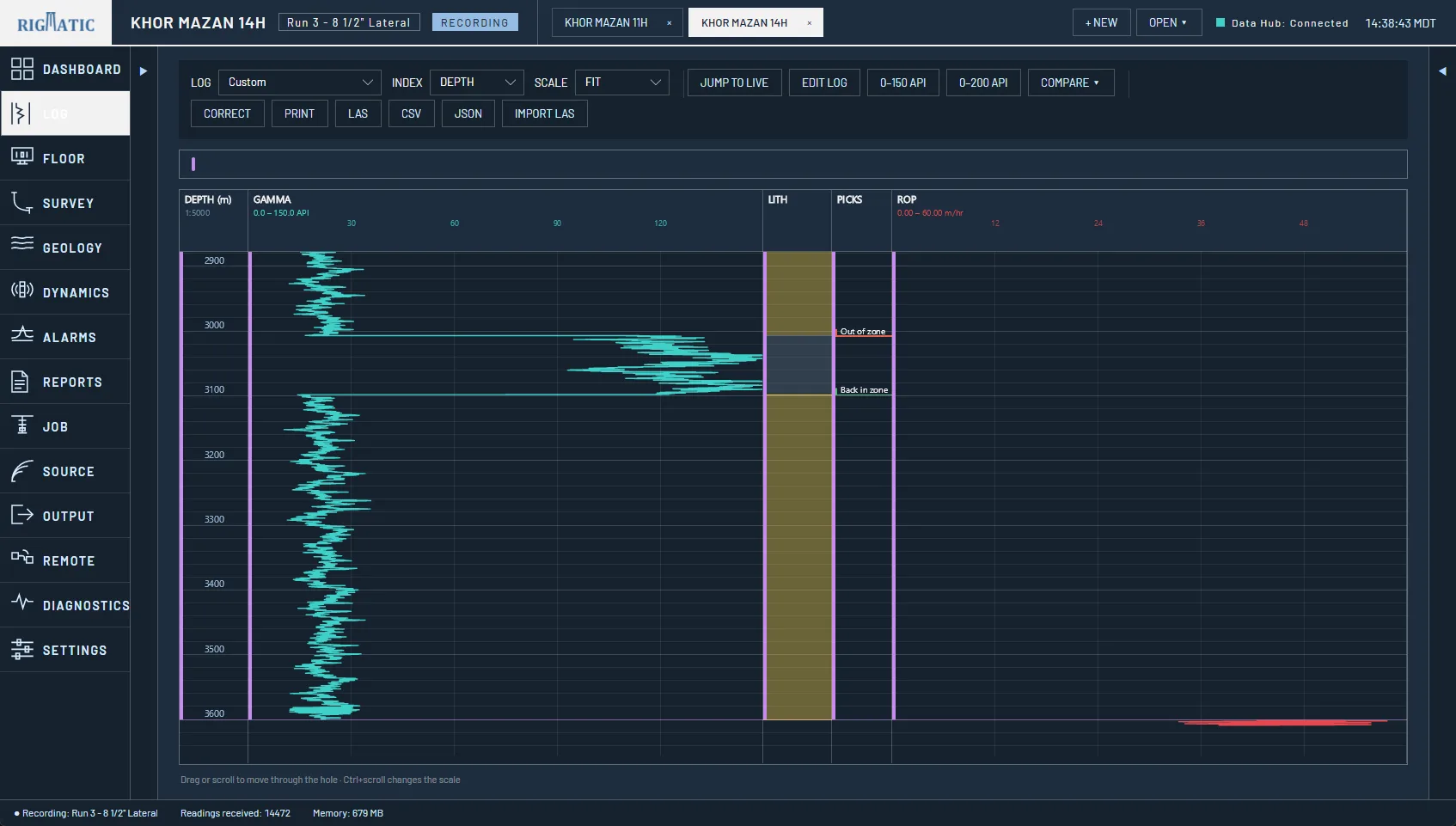
Live dashboards, the gamma log, surveys, the wellbore in 3D and alarms, plus a full-screen display for the rig floor.
Delivers it
The printed log, the reports, LAS and CSV files and the end-of-well package, on your company’s letterhead.
See when the hole leaves the plan
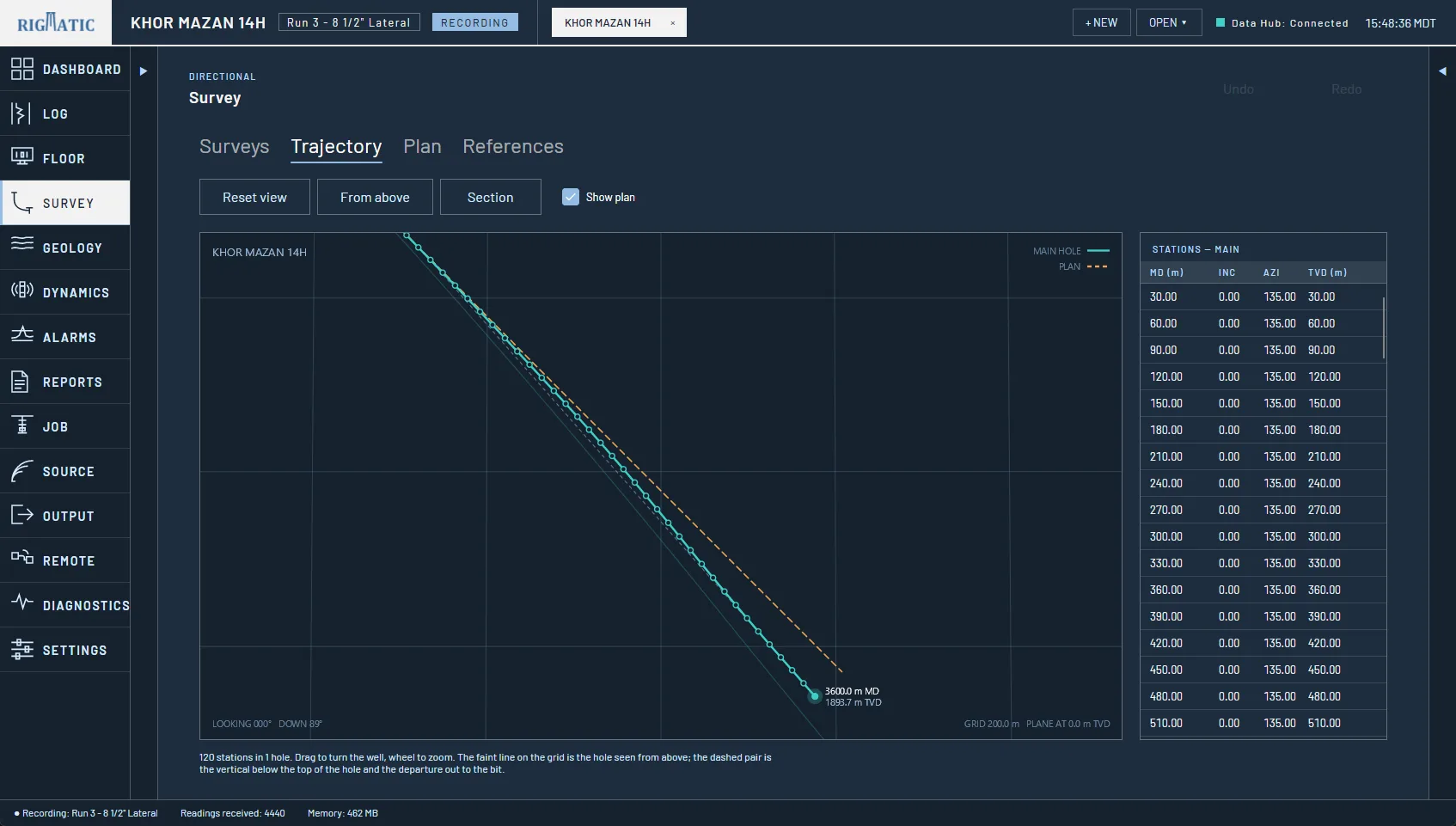
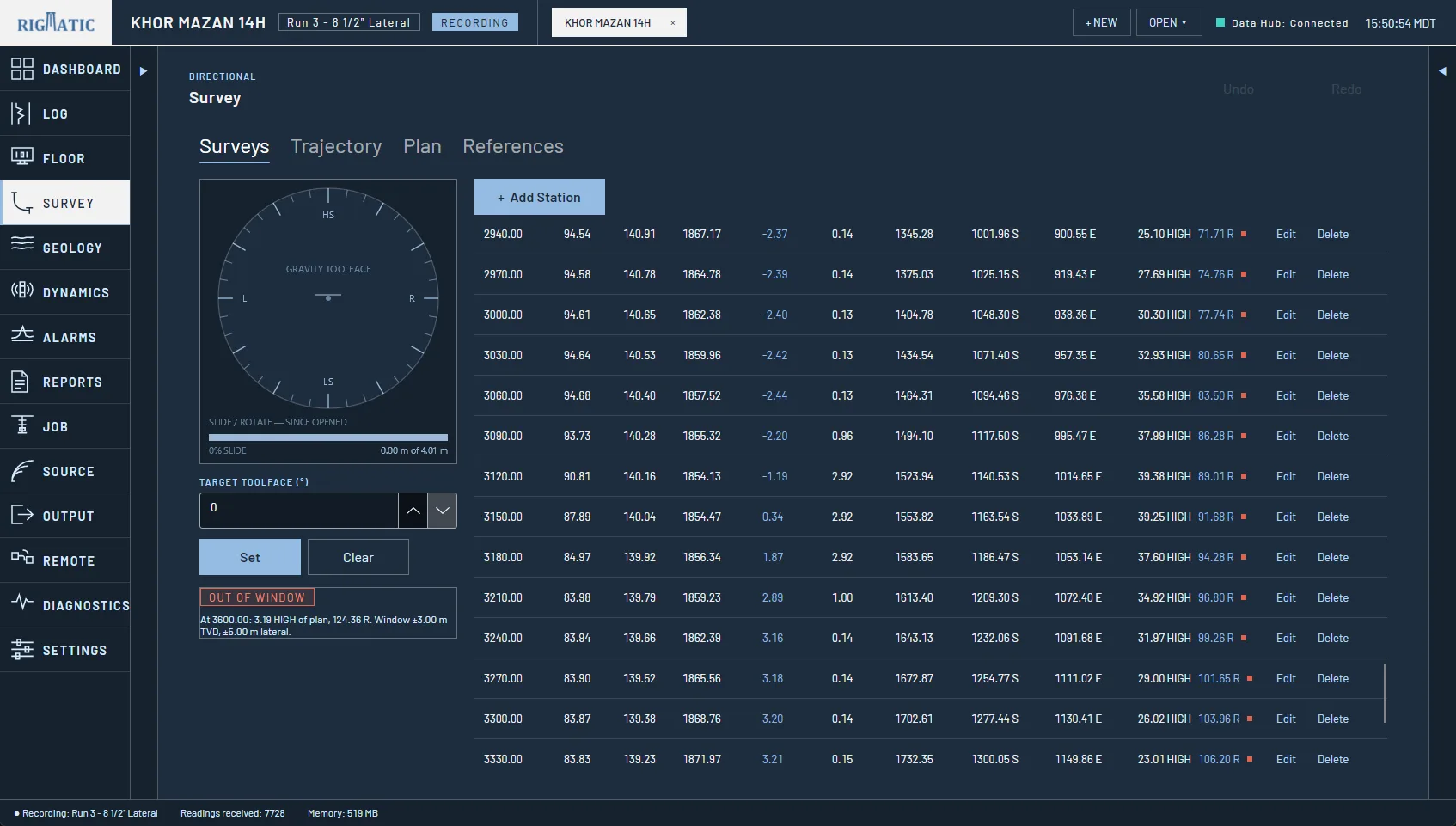
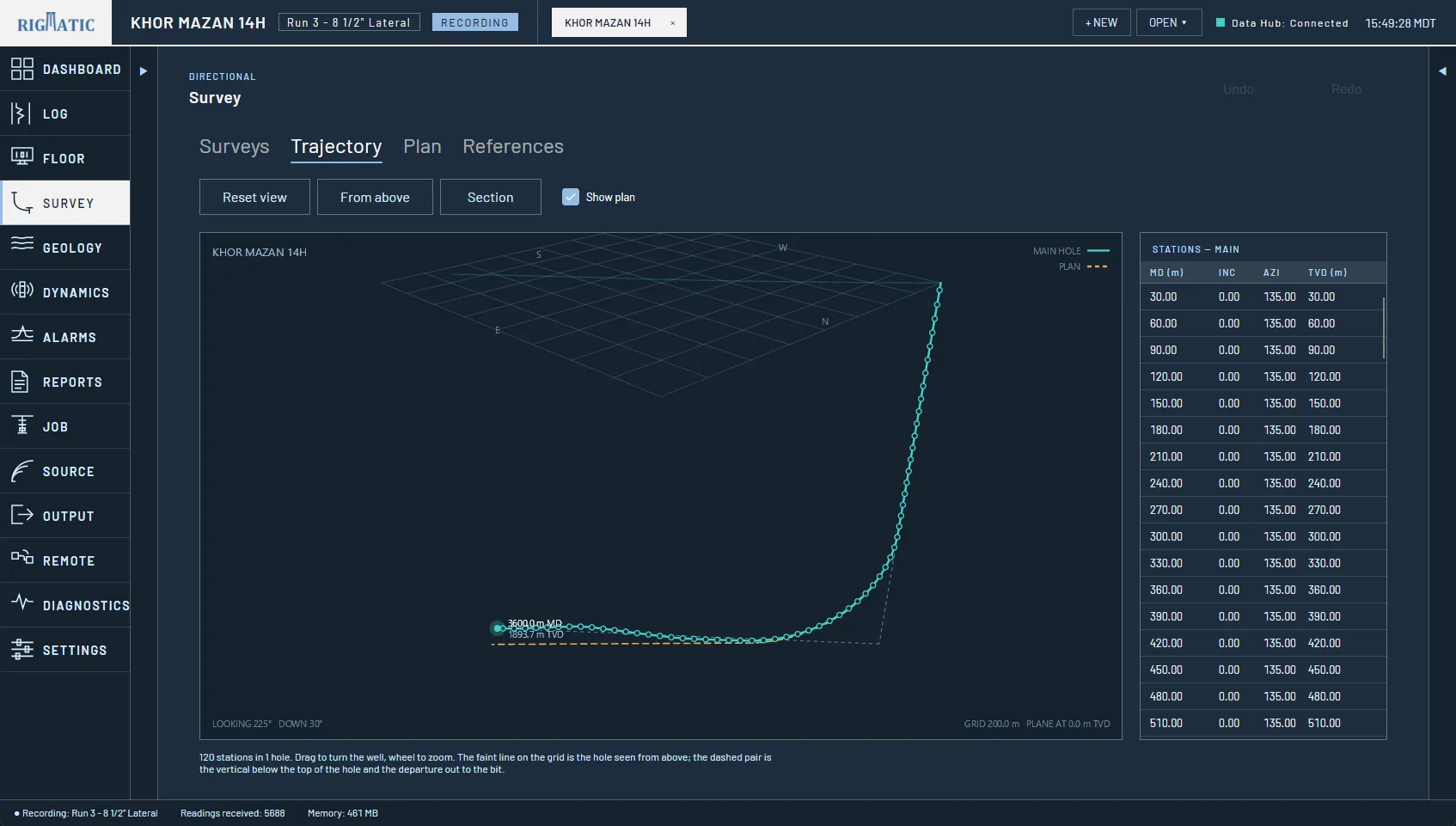
Import the directional company’s plan from CSV, text or Excel. Every survey station then shows how far the hole is from it, high or low and left or right, and the page gives a verdict with the tolerance beside it: in window, off plan, or past the end of the plan.
- Minimum curvature from every station, recalculated when any station is edited
- Surveys filed at the directional sensor’s depth, not the bit’s
- A survey report with plan view and vertical section at equal scale
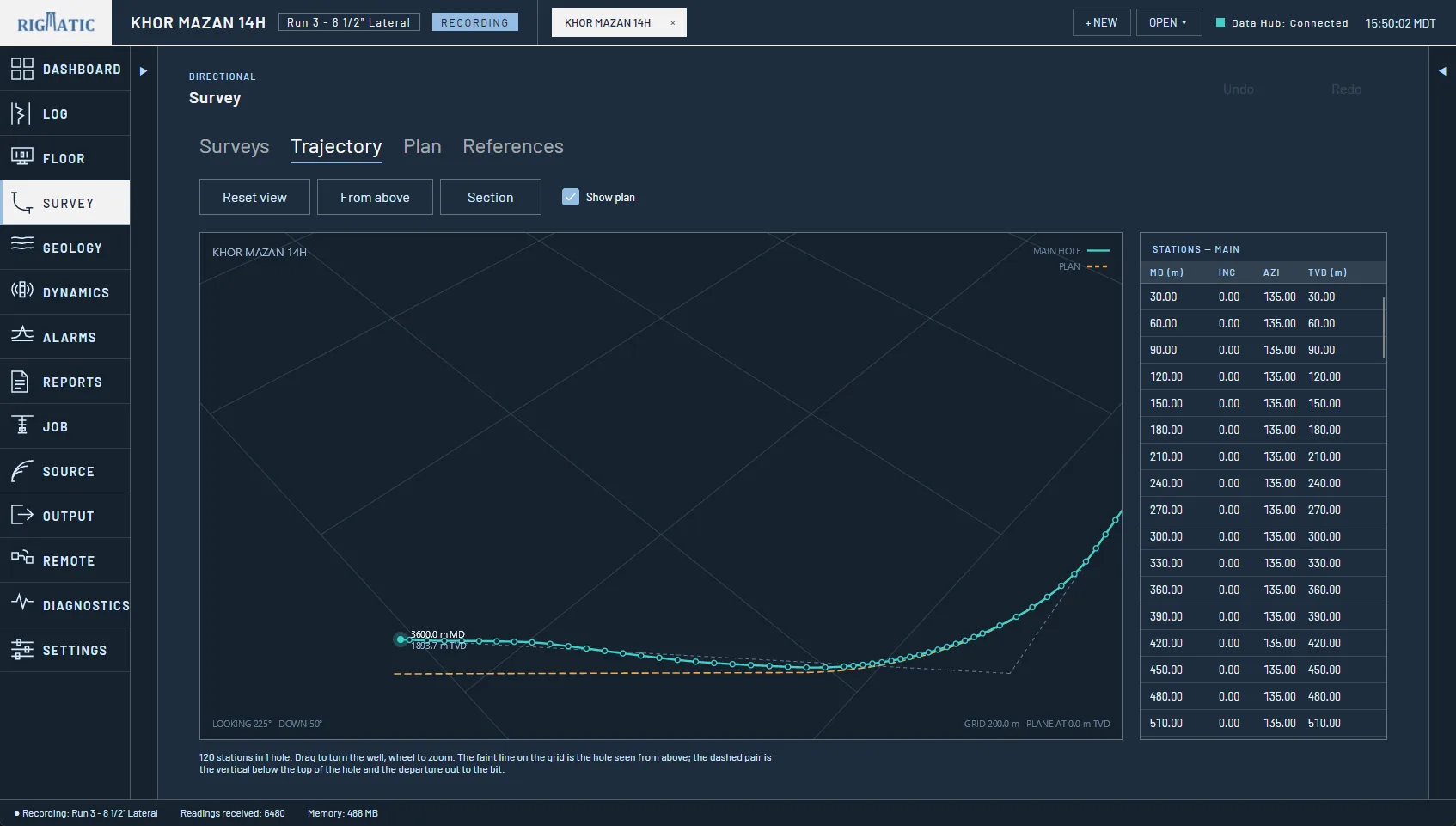
The software, page by page
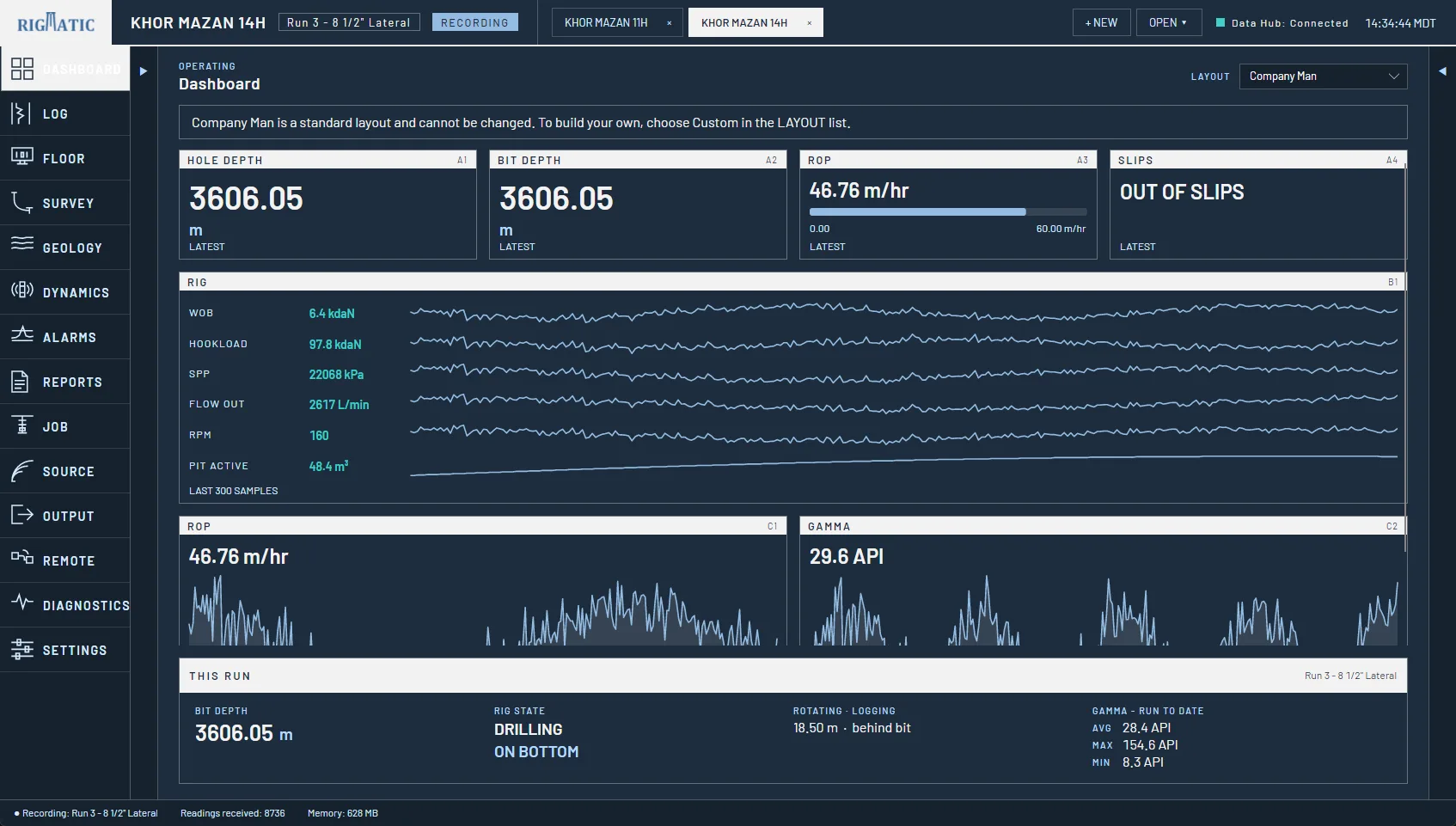
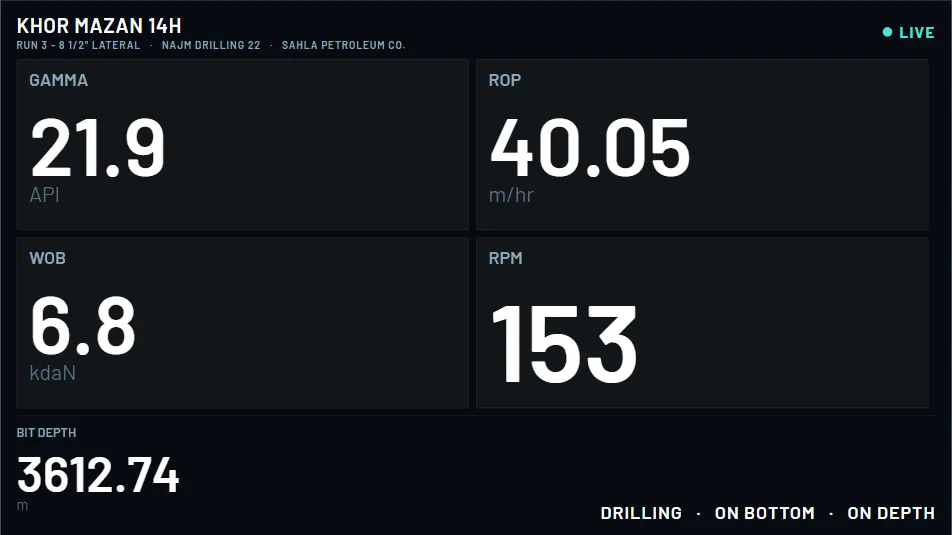
Dashboard
Log
Floor
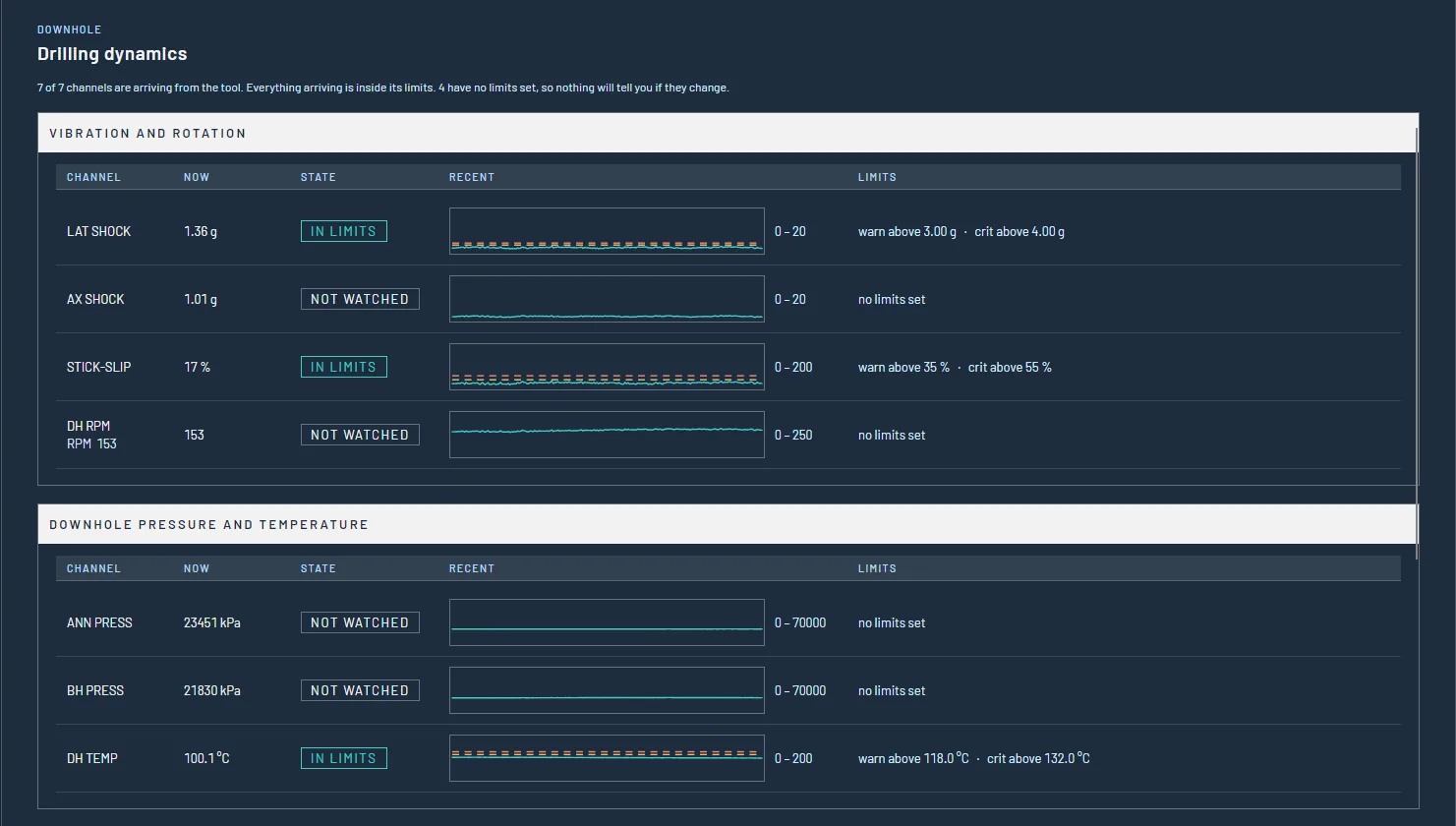
Dynamics
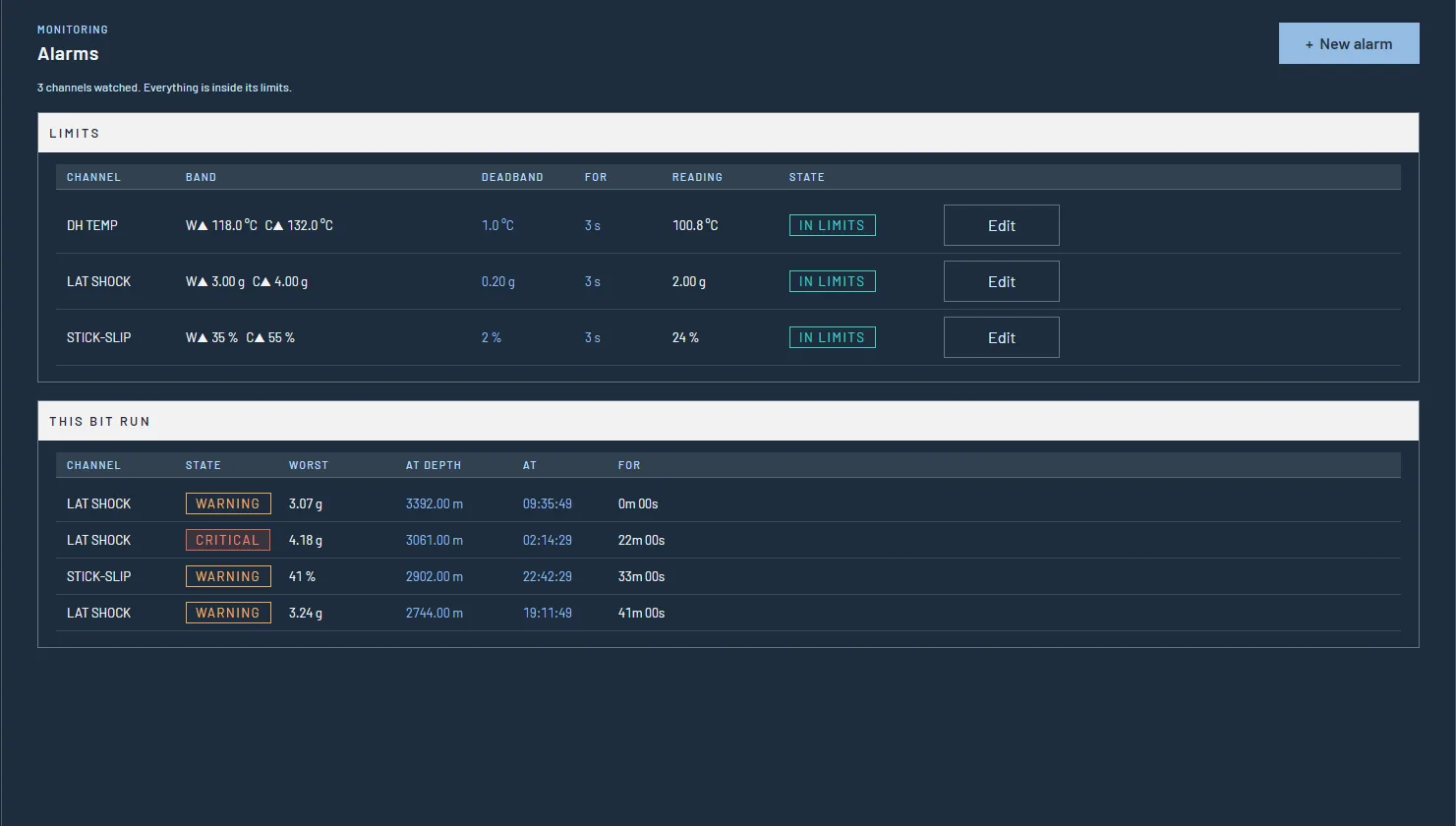
Alarms
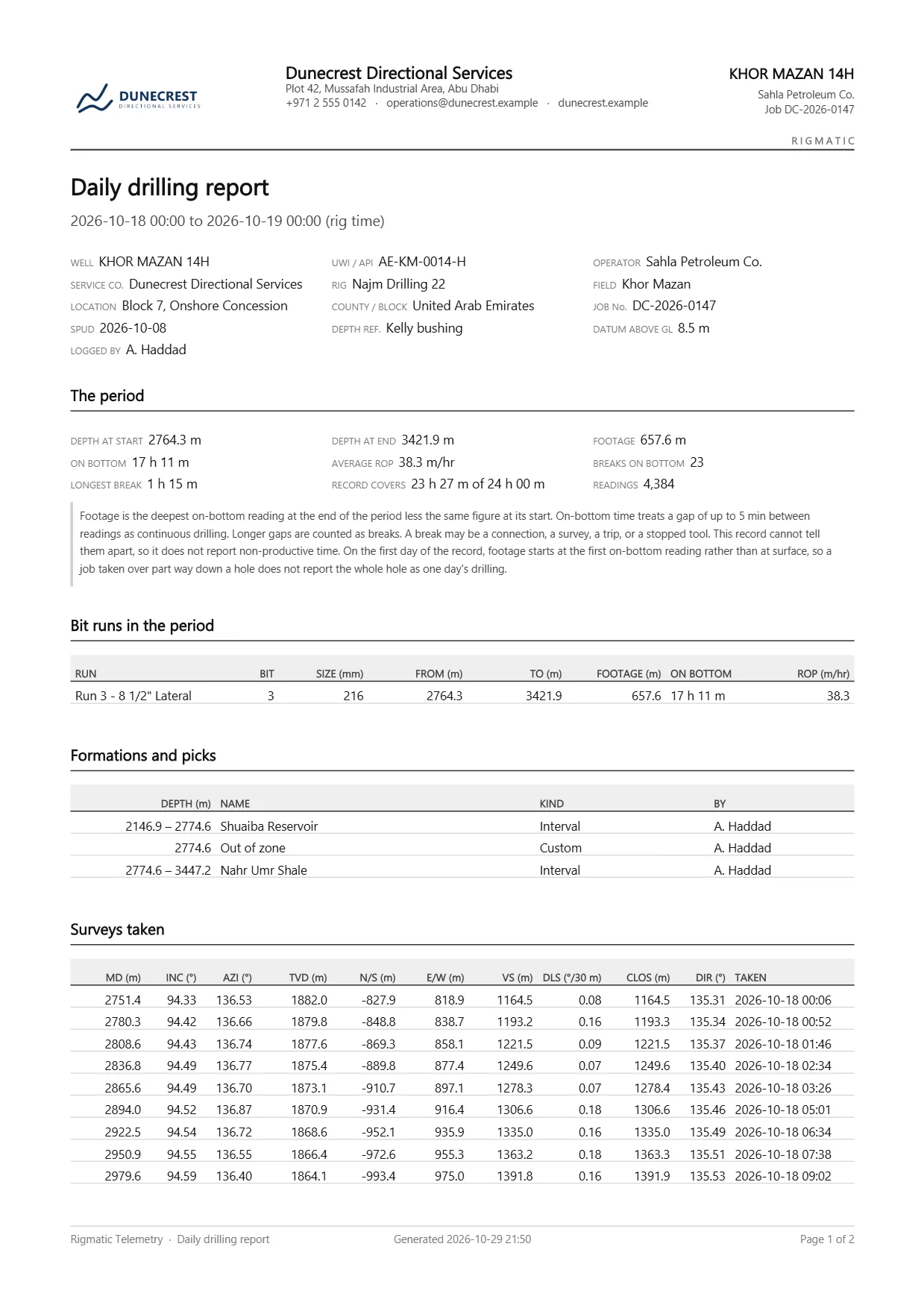
Reports
It does not guess
- A job will not start on a feed that has never delivered a byte.
- Gaps in the telemetry are drawn as gaps, not as straight lines.
- A stale value is held back from the EDR, not repeated as current.
- No alarm limits ship with it. The ones you set are the only ones it uses.
Everything in one program
Set up and support
- The well, its bit runs, the tool string and the depth references
- Every incoming connection, with its uptime and last frame
- Units, the alarm sound, and backups to a folder you choose
- Raw packets as they arrive, and a recording of the session for support
Watch
- Live readings as tiles, in a standard layout or your own
- A full-screen display for a second monitor on the rig floor
- Warning and critical limits, an alarm sound, and every breach
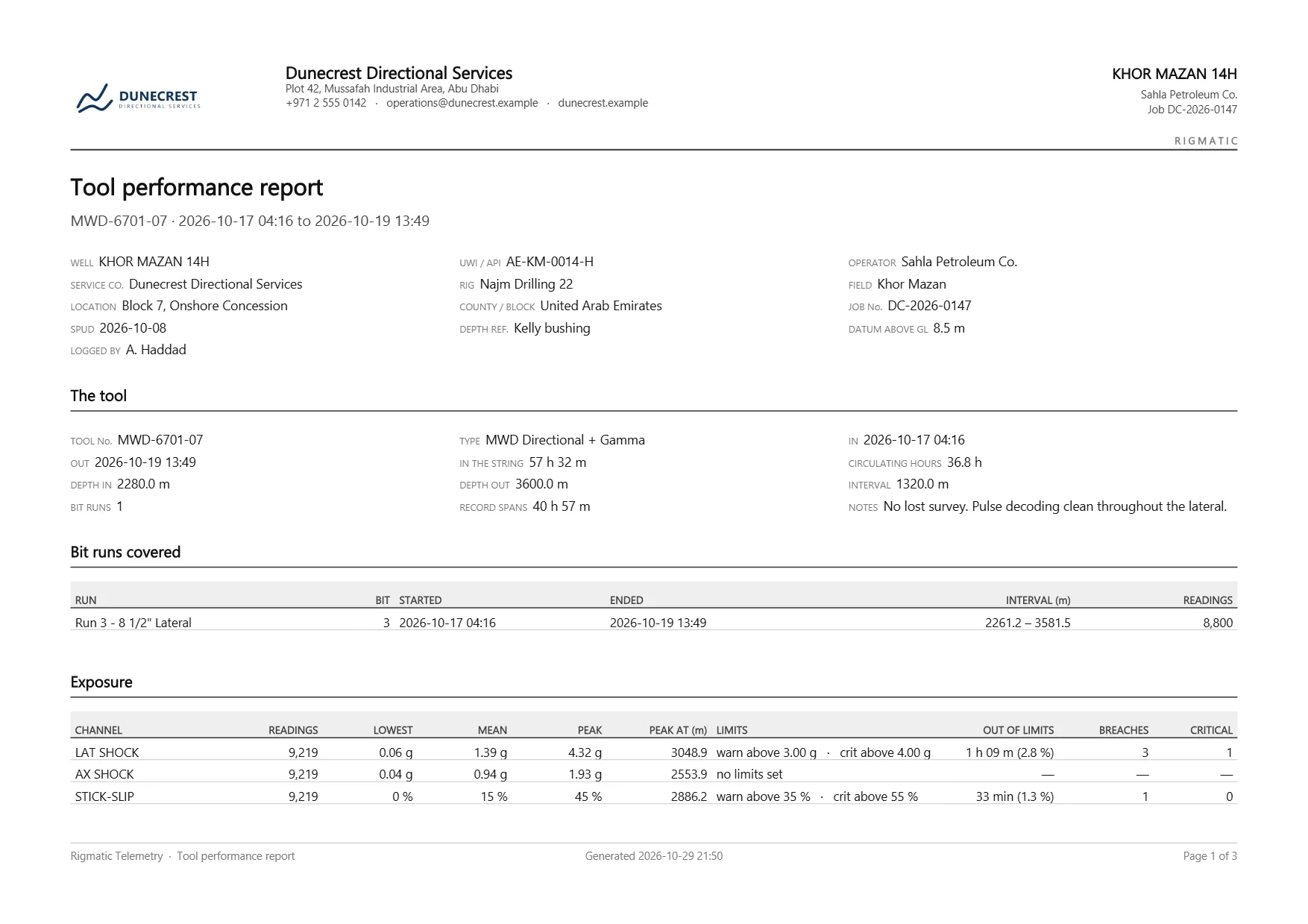
- Shock, stick-slip, pressure and temperature: what the tool has been through
Interpret
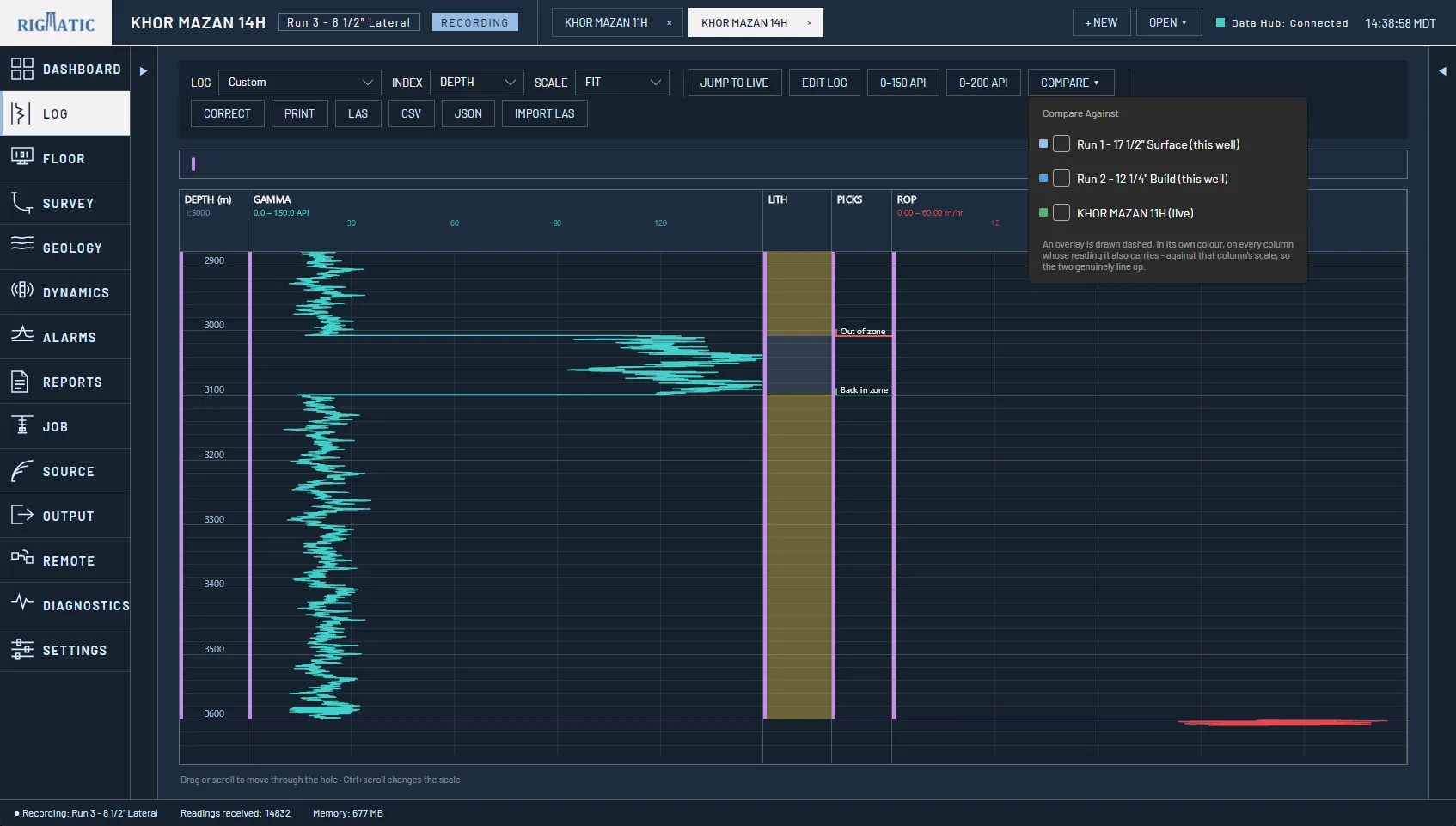
- The gamma log beside drilling tracks, with corrections and memory merge
- Survey stations, the wellbore in 3D, and the plan
- Formation tops, markers and notes
Deliver
- Daily, bit run, survey, tool performance and end-of-well reports
- WITS to the EDR, WITSML files and timed exports
- A live link from the rig to the office
What comes out
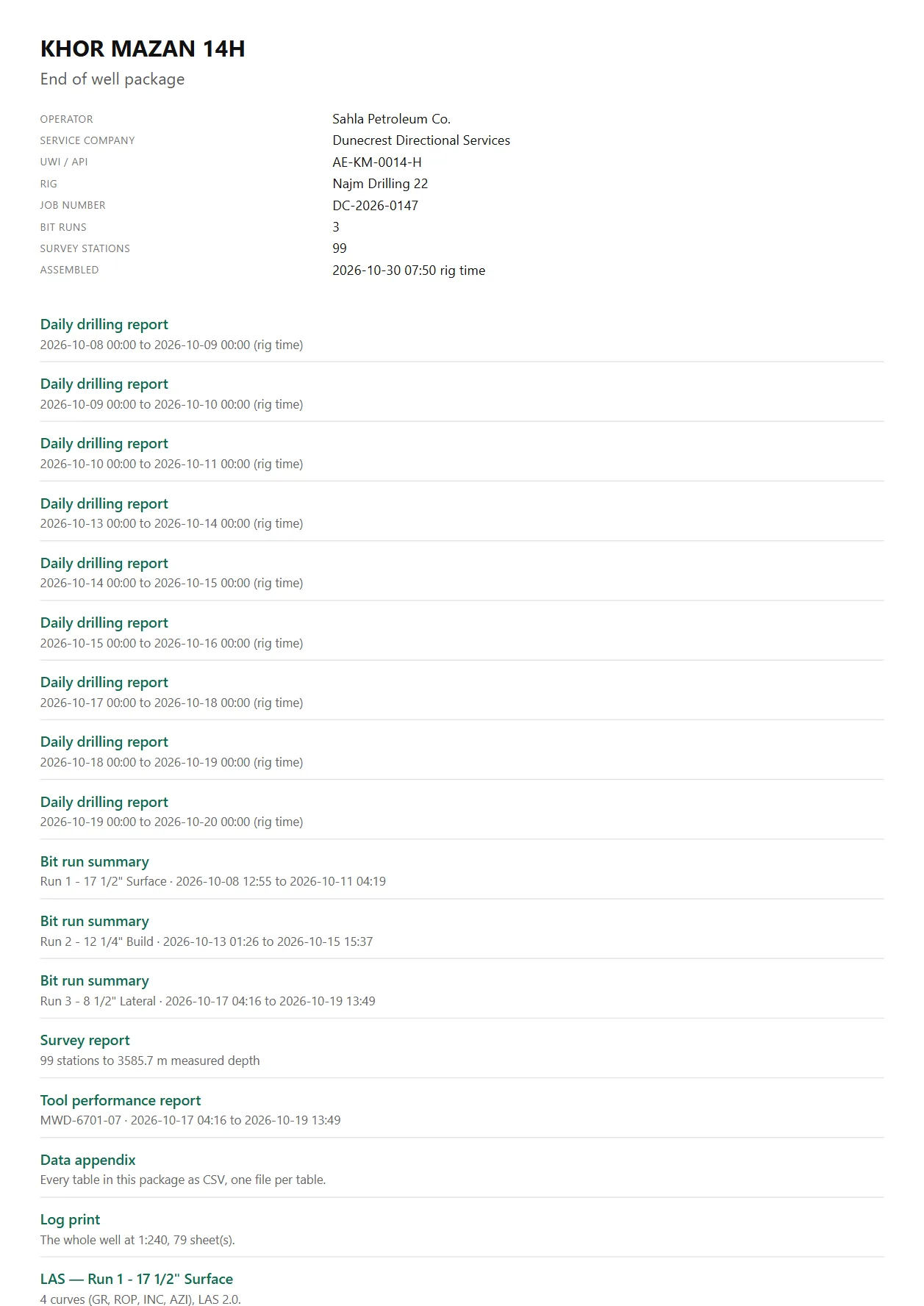
The log and the paperwork are what the client pays for. Every document in a package is built from one snapshot of the job, so no two can disagree about the depth of the well.
- LAS
- LAS 2.0, one file per bit run, with any corrections listed in the file
- The log at a true 1:200, 1:500 or 1:1000, and every report. You see the sheet count before you print.
- CSV
- Each bit run, and a data appendix with one file per table
- JSON
- The logged curves, with the run’s survey stations
- WITSML
- Log and trajectory documents, written to a folder
- WITS
- Gamma, surveys and toolface sent live to the rig’s EDR, so they reach the company man’s screen
The end-of-well package is a folder, not a zip: a contents page linking every report, the log print and the LAS files, ready for a memory stick or an email.
BHA Data Logger
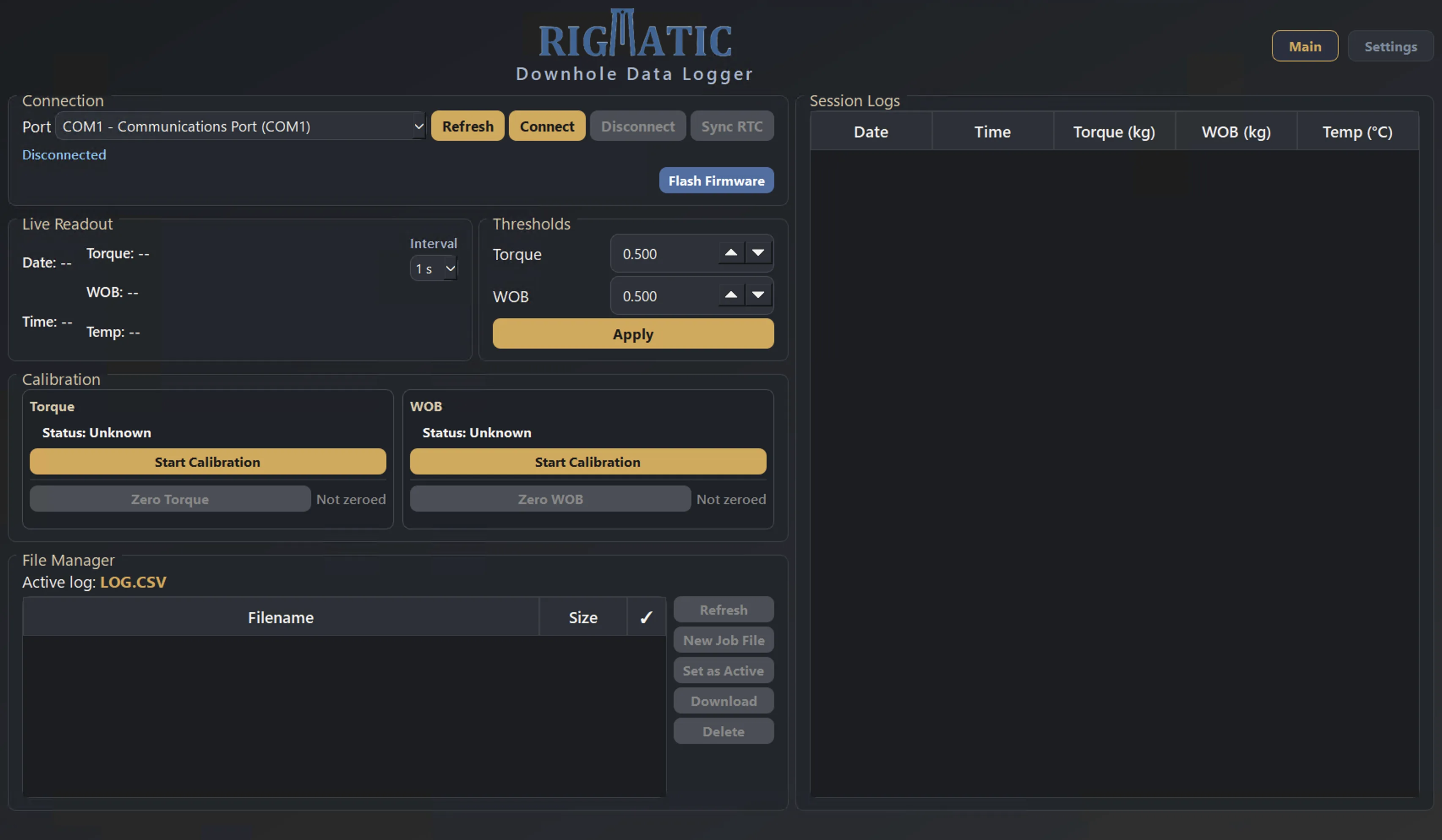
A self-contained logger that runs in the bottom hole assembly and records torque and weight on bit, time-stamped, through the whole run. Nothing is connected at surface while it is in the hole.
Set it up from a Windows PC before the run. When the tool comes out, connect it again and download the run as a CSV.
- Records
- Torque and weight on bit, with date and time
- Interval
- 1 s by default; 5 s, 10 s or 60 s for long runs
- Logs when
- Torque or WOB passes the threshold you set, so near-zero noise stays out of the file
- Storage
- SD card. A 200-hour run at 1 s is about 720,000 rows, roughly 25 MB.
- Power loss
- Keeps its calibration, thresholds and active job file
- Software
- One Windows program, nothing to install. Works offline once activated.
Before the run
- Sync the logger’s clock to the PC with one click.
- Zero both sensors, then calibrate torque and WOB against a known mass.
- Set the logging thresholds and interval.
- Start a new job file for the run.
After the run
- Connect the logger over USB.
- Download the run as a CSV.
- Open it in Excel or your own analysis tools.
Engineering services
The team behind the Depth Tracker also takes on custom work.
- Software design
- Systems integration
- PLC, HMI and SCADA
- Control panel design
Contact us
Tell us about your rig and what you need to measure. We answer quotes, questions and support requests.
Message sent
Thank you. It has gone to info@rigmatic.com, and we will reply to .
- Sales and general questions
- info@rigmatic.com
- Support
- support@rigmatic.com
- Phone
- +1 403-689-5551
- Address
- Rigmatic Measurements Inc.
Calgary, Alberta
Canada